

Space skills
Choose which of your company's skills the Coding Agent loads when it works in a Space.
Skills are reusable instructions that shape how the Coding Agent works. They are added company-wide on the Skills page. This page covers the other half: choosing which of them apply to one Space.
Open the Skills page
- Open the Space's settings with the gear icon on its row in the sidebar, or the Settings button on its task list. The sidebar switches to the Space's settings.
- Click Skills in the settings sidebar.
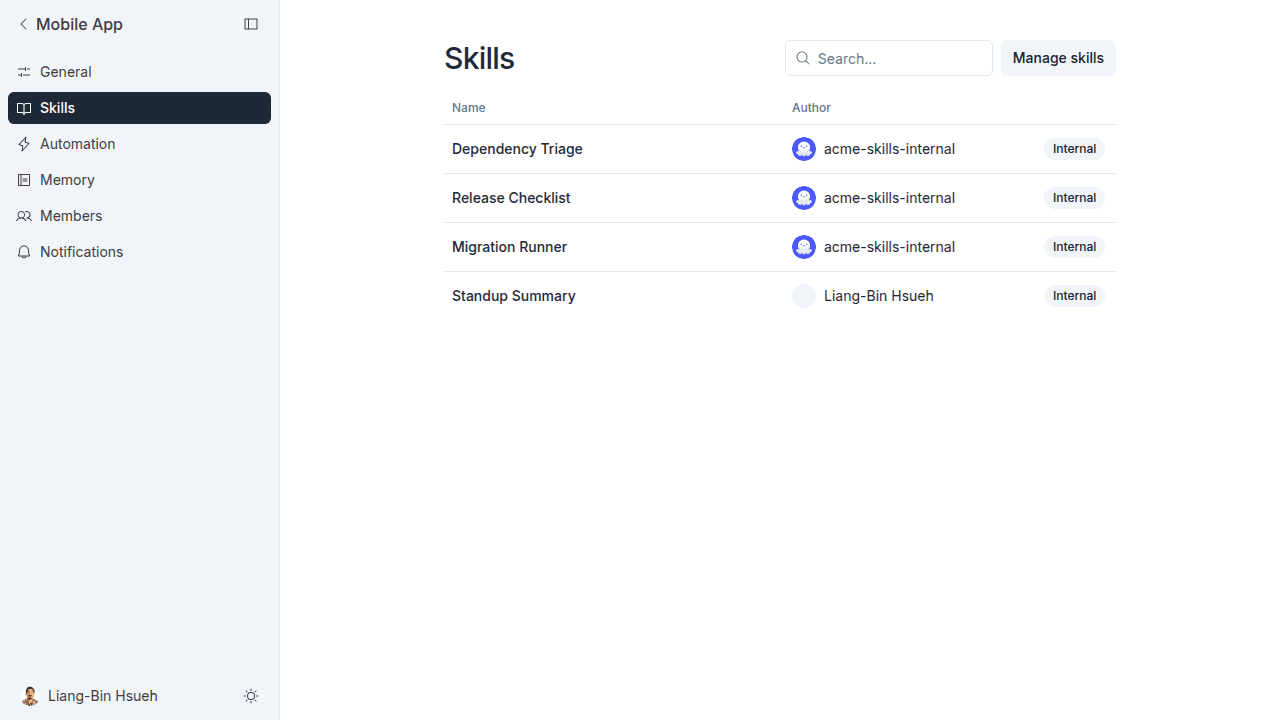
The page lists the skills currently enabled for this Space. Author shows the marketplace the skill came from, or the person who wrote it. An Internal badge means the skill is custom or comes from a private marketplace.
Turn a skill on or off
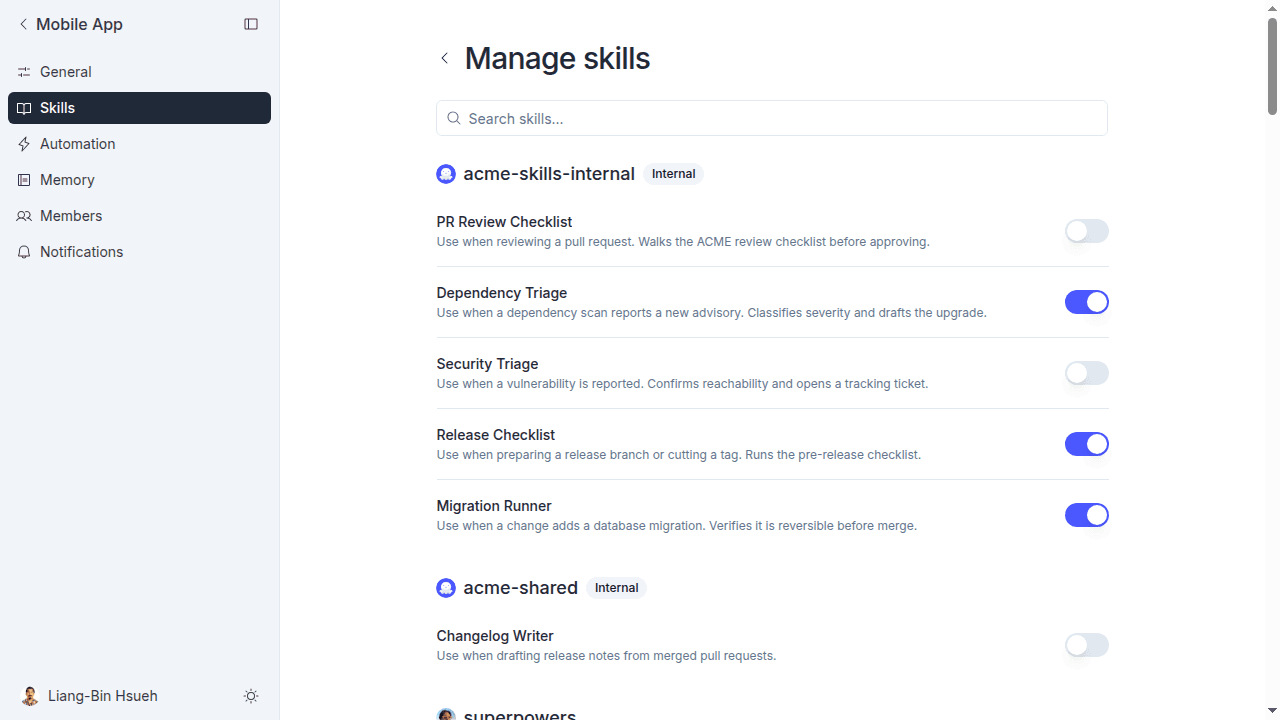
- Click Manage skills.
- Browse the list, or use Search skills... to find one by name or description. Skills are grouped by the marketplace they came from, with custom skills last.
- Use the switch at the end of a row to turn that skill on or off for this Space.
The Coding Agent picks up the current set of enabled skills each time it plans or implements a task. Runs that are already in progress keep the skills they started with.
See what a skill does
Back on the Skills page, click any row to open the skill's details. You get the full instructions, plus the same on/off switch, so you can read what a skill actually tells the Coding Agent before you rely on it.
Who can change this
Any member of the Space can turn a skill on or off.
There is one exception. The first time anyone anywhere enables a skill from a marketplace, MeetAndy also installs it for the whole company, and that step is limited to Company Admin and Company Manager. If you don't have one of those roles and nobody has used the skill before, the switch fails. Ask an admin to turn it on once. After that, anyone in any Space can toggle it freely.