

Skills
Add skill marketplaces and write custom skills that guide the Coding Agent across your company.
A skill is a set of reusable instructions the Coding Agent can follow, for example how to run your test suite, what your review checklist covers, or how your team names branches. The Skills page is where your company's skills come from. Turning a skill on for a particular Space happens separately, in Space skills.
Open it from the sidebar under Tools → Skills, or go to hub.meetandy.ai/skills.
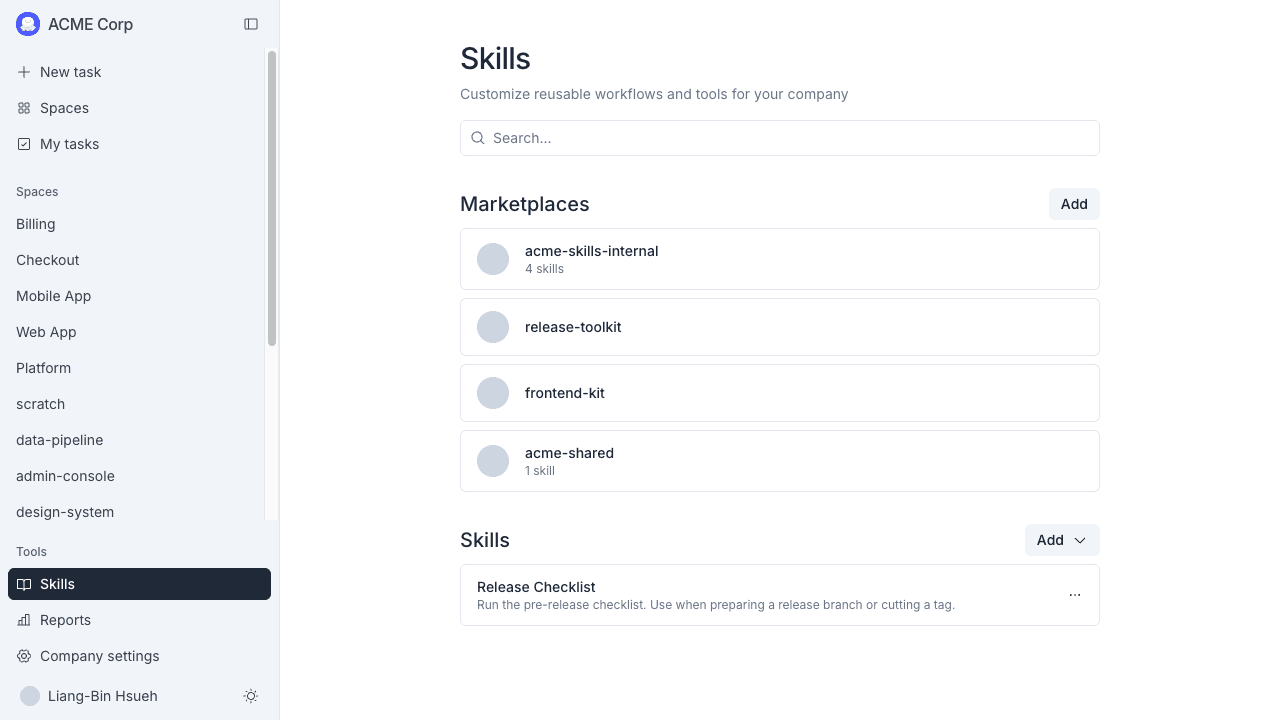
The page has two sections. Marketplaces are git repositories you pull skills from. Skills are the ones your team writes.
Marketplaces
A marketplace is a git repository that holds skills. Adding one makes the skills inside it available to every Space in your company.
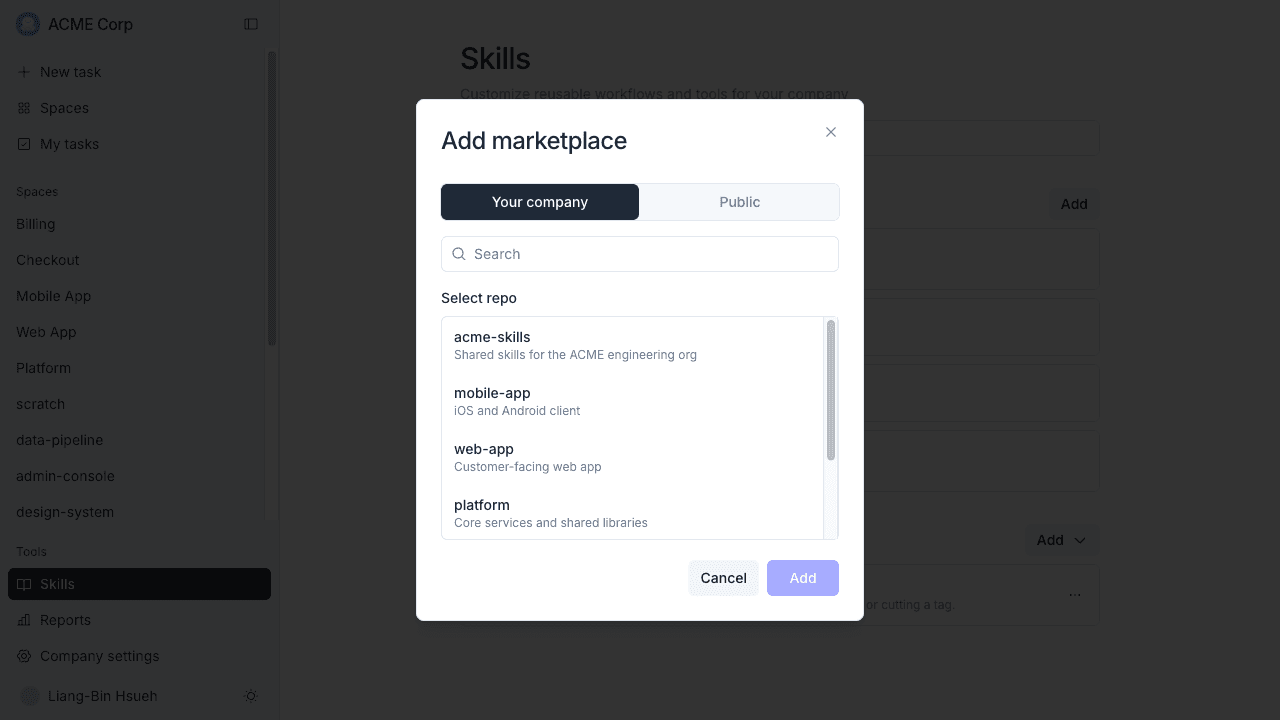
- Click Add next to Marketplaces.
- Choose where the repository comes from:
- Your company — pick a repository from the Git host you already connected.
- Public — enter an
owner/reporeference or a full URL.
- Click Add.
Click a marketplace to see the skills it contains. Its menu holds three more controls:
- Auto-update — keep pulling skills as the repository changes.
- Update now — pull the latest version once.
- Remove marketplace — remove it, and its skills, from the company.
MeetAndy imports skills and nothing else. If the repository is a Claude Code plugin, parts such as subagents, hooks, and MCP servers are left out. MeetAndy warns you about this before you add a repository that contains them.
Custom skills
To write a skill yourself, click Add next to Skills and pick one of:
- Create skill — write it in MeetAndy.
- Import .md — upload a markdown file you already have.
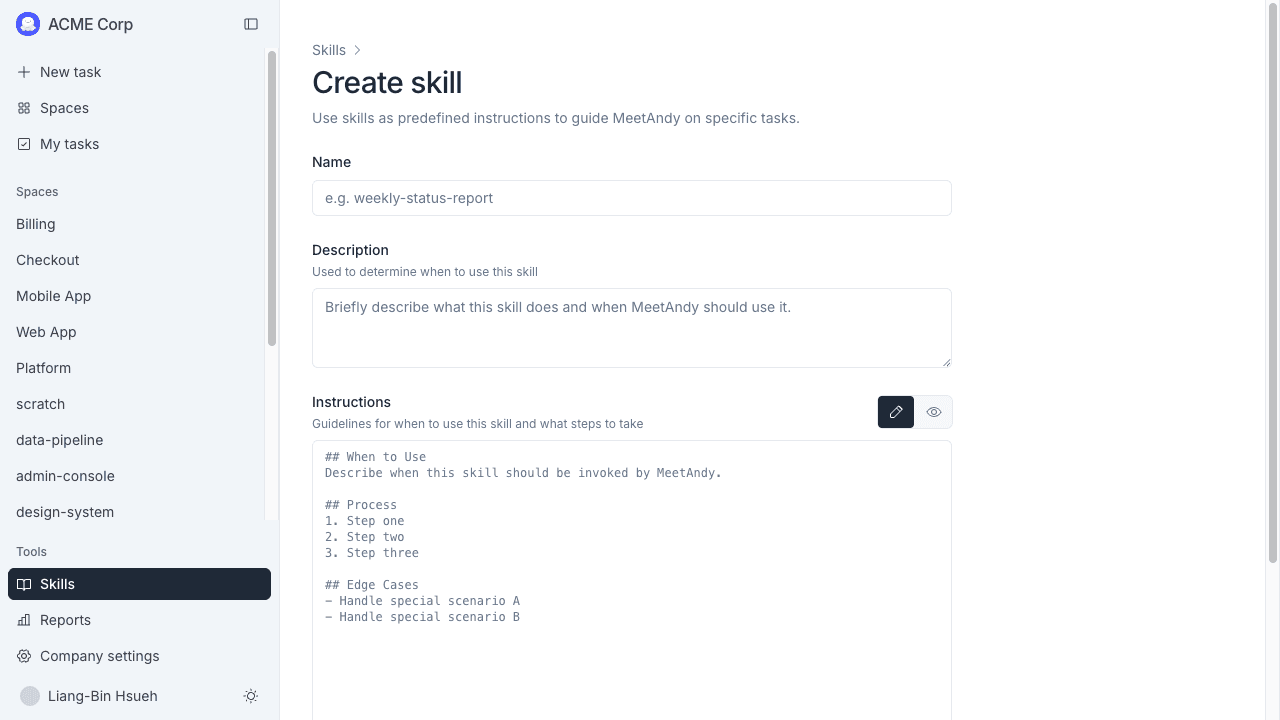
Fill in three fields and click Save:
- Name — a short slug, for example
weekly-status-report. - Description — what the skill does and when to use it. The Coding Agent reads this to decide whether the skill applies, so write it as a trigger ("Use when reviewing a pull request"), not as a summary.
- Instructions — the skill itself, in markdown. Use the pencil and eye buttons to switch between editing and preview.
Who can do what
| Action | Who |
|---|---|
| Add, update, or remove a marketplace | Company Admin, Company Manager |
| Install a skill from a marketplace | Company Admin, Company Manager |
| Create a custom skill | Anyone in the company |
| Edit or delete a custom skill | Whoever created it, or a Company Admin / Company Manager |