

Billing
View your plan, track task usage, and manage your subscription from the Billing settings page.
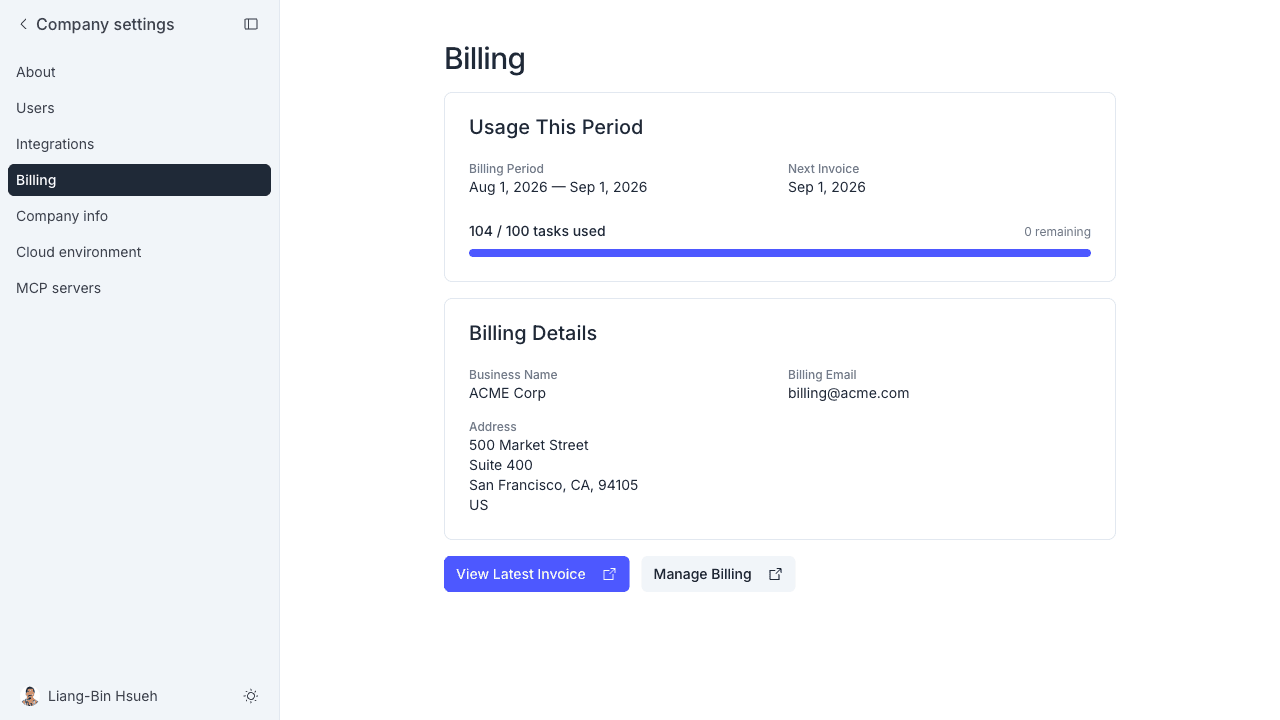
The Billing page shows your current plan, usage for the billing period, and billing contact details. It also links to the Stripe billing portal where you can update payment methods, download invoices, and change your plan.
Open it from Manage → Billing or visit hub.meetandy.ai/manage/billing.
What you can see
Current plan shows your plan name, monthly fee, the number of tasks included per month, and the per-task rate for additional tasks beyond the included amount.
Usage this period shows how many tasks your team has used in the current billing cycle alongside a progress bar against the included task count. If you have gone over the included amount, the overage is shown with the per-task rate.
Task credit appears only if your company has been granted credit. It shows how much credit was Granted, how much you Used this period, and how much is Available. A table lists each grant with the date it was added, its amount, its remaining balance, and when it expires. Credit is applied to additional tasks beyond your monthly allowance before they are charged. It doesn't offset the monthly fee, and unused credit carries over to the next period until it expires. The balances don't yet include what you used this period, which is deducted when your next invoice is issued.
Billing details shows the business name, billing email, and address on file with Stripe.
Manage your subscription
Click Manage Billing to open the Stripe customer portal. From there you can:
- Update your payment method
- Download past invoices
- Change or cancel your plan
Click View Latest Invoice (or Pay Latest Invoice if there is an outstanding balance) to open the most recent invoice directly.
If you cancel in the Stripe portal, the plan stays active until the end of the billing period. The Current plan card then shows Cancelling with the date the plan ends, and the last invoice is labeled Final invoice. Usage beyond the included tasks is still billed on that invoice.
Company Admin and Company Manager can open the Billing page and the Stripe portal. Only a Company Admin can subscribe to a plan. If you don't see Billing in the sidebar, ask your Company Admin for access.
Choose a plan
If your company doesn't have a subscription yet, the Billing page shows a Plans section with these options:
- Startup and Team each show a monthly fee, how many tasks are included (if any), and the rate for each task beyond that. The amounts are shown on the page.
- Enterprise is custom priced. Click Talk to us to get in touch.
A Company Admin clicks Subscribe to Startup or Subscribe to Team and pays on a Stripe Checkout page. Other members see the plans and are told to ask a Company Admin. After you pay, your plan can take a minute to appear, so refresh the page if you still see Payment received.
Once your company has a subscription, the Plans section no longer appears. Use Manage Billing to change or cancel your plan.
Free task trial
If your company is on a free task trial, the Billing page shows a Free task trial card with a usage bar for the tasks used and remaining, and the date the trial ends. Tasks you haven't used by then expire.
The card carries a badge: Trial while you have free tasks left, Used up when you have spent them all, and Expired when the trial ended with tasks unused.
When your free tasks are used up or expired, you can't start new tasks, but tasks that already exist keep working:
- In the web app, a card in the sidebar and a notice on the task inputs say so, and Start task is disabled. A Company Admin gets a link to the plans, and other members are told to ask a Company Admin.
- In Slack and Google Chat, Andy replies to say so instead of starting work on a new request.