

Connect GitHub
Install the MeetAndy GitHub App on your organization.
Connecting a Git host is required. Andy reads code and opens pull requests through it. If your team uses GitHub, follow this page. If your team uses GitLab, see Connect GitLab instead. You only need to connect one.
This is an admin-only step.
Install the GitHub App
- Open Company settings → Integrations from the sidebar.
- Find the GitHub card and click Connect. You'll land on the GitHub setup page.
- On the setup page, click Install GitHub App. GitHub opens in a new tab.
- On GitHub:
- Pick the organization or personal account where you want to install Andy.
- Choose All repositories (if you want Andy across everything) or Only select repositories and pick the ones you want.
- Review the permissions and click Install.
- GitHub sends you back to MeetAndy and the integration shows as Connected.
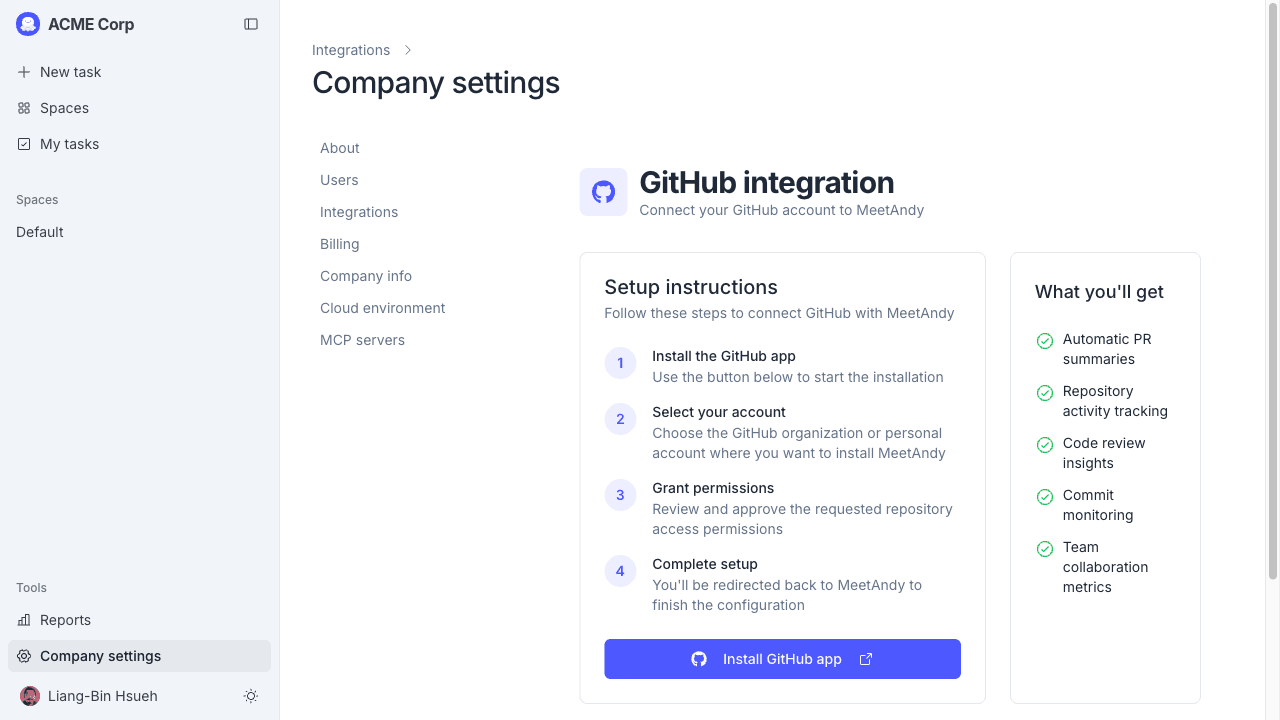
The GitHub card also exposes a Test Connection button. Click it any time you want to confirm Andy can still reach your installation.
The install screen shows the full list of permissions Andy needs: read access to code, pull requests, issues, commits, and CI status, plus write access for opening pull requests. Review them before clicking Install.
What Andy uses GitHub for
Once connected, Andy can:
- Read code in your repositories to answer questions and plan work
- Open and update pull requests when you hand off a task to the Coding Agent
You'll choose which repositories Andy follows on a per-Space basis when you configure each Space.
Adding more repositories later
If you picked Only select repositories and want to add more later:
- Go to github.com/organizations/your-org/settings/installations.
- Find MeetAndy and click Configure.
- Update the repository list and save.
The new repositories show up in MeetAndy without you needing to reinstall.
Disconnecting
To remove the GitHub integration:
- Open Company settings → Integrations → GitHub in MeetAndy.
- Click Disconnect.
MeetAndy uninstalls the GitHub App on GitHub's side at the same time, so there's no second cleanup step.
Connect your personal GitHub account
The steps above connect the GitHub App for your whole company. You can also link your personal GitHub account so MeetAndy can verify that you are the owner of a specific GitHub username.
To connect your personal account:
- Open Settings → Connected accounts from the user menu in the sidebar.
- Find the GitHub card and click Connect.
- GitHub opens and asks you to authorize MeetAndy. Review the permissions and click Authorize.
- GitHub sends you back to MeetAndy and the card shows Connected as @your-username.
Once connected, pull requests the Coding Agent opens are assigned to your GitHub account, so they appear in your normal GitHub review queue.
To disconnect, open Settings → Connected accounts and click Disconnect on the GitHub card.
If GitHub hasn't been installed for your company yet, the Connect button is disabled. Ask a company admin to complete the GitHub App installation first.