

Web app
Spaces
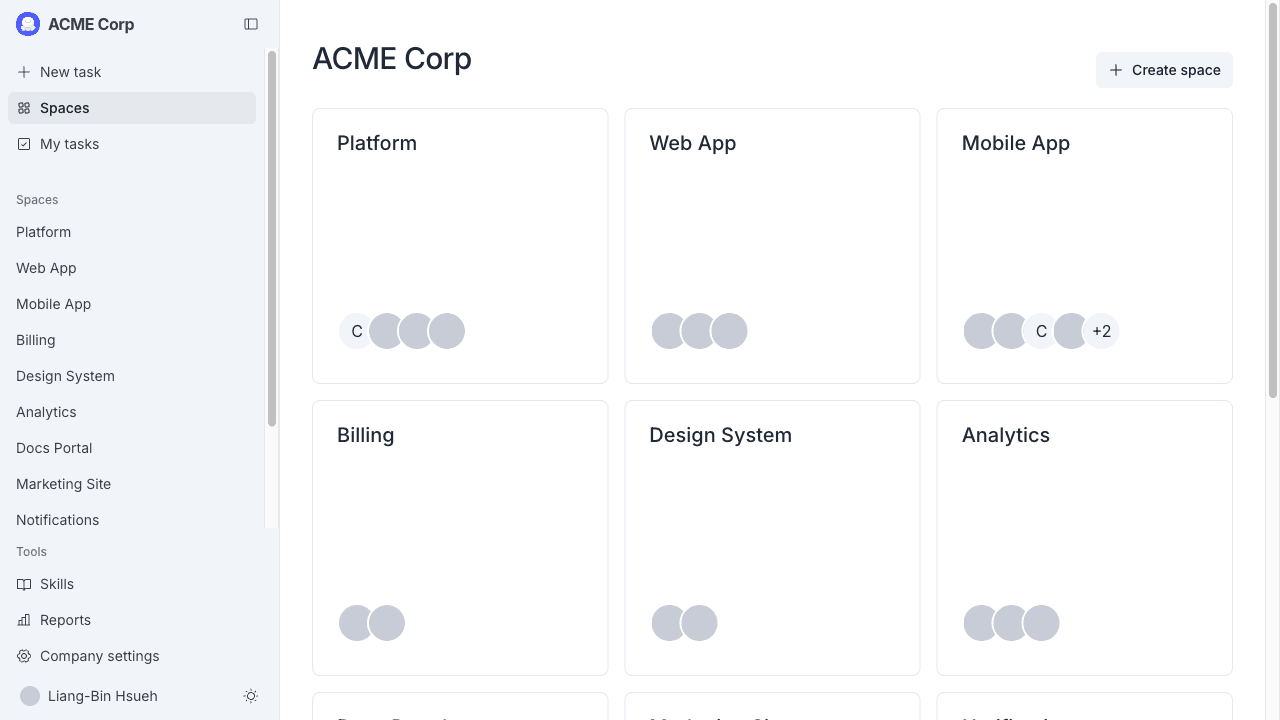
Your home view in the MeetAndy web app.
The Spaces page at /spaces is the page you land on after logging in. It's a simple jumping-off point. The real work happens on the Tasks list and Spaces pages.
What you'll see
The page is headed with your company name and surfaces the Spaces you have access to. Pick one to open it.
Sidebar navigation
The left sidebar is where you move around the app. From any page you can reach:
- Spaces. Every Space you have access to.
- My tasks. Every task assigned to you, grouped by status. See Tasks list.
- New task. Opens the task creation page. See Creating a task.
- Skills. Browse and manage the skills available to Andy.
- Reports. Usage and activity reports.
- Company settings (admins and managers). Manage users, Integrations, Billing, Company info.
Switching companies
If you belong to more than one MeetAndy company, the company switcher sits at the top of the sidebar. Pick a different company to see its Spaces and tasks.
What's next
Most users go straight to My tasks after logging in.